


- Category
- Language
- Published date
A self-hosted CI/CD dashboard for GitHub Actions
How to use Snorlx to get centralized visibility and real-time updates across all your repositories
Why do we need it?
GitHub Actions is the standard for CI/CD. GitHub shows runs clearly inside a single repo, but when an organization has 50, 100 or more repos with dozens of workflows, there’s no aggregated view: to see what failed you have to open repo after repo. Teams often resort to scripts or expensive SaaS.
Bottom line: no central dashboard, no cost breakdown per workflow/repo (GitHub bills by the minute but only shows monthly totals). Commercial options exist but add cost and vendor lock-in. Snorlx is the self-hosted, open-source answer.
Finding a solution: Snorlx
Snorlx is an open-source, self-hosted CI/CD dashboard for GitHub Actions: it aggregates all runs in one interface, delivers real-time updates via WebSocket, tracks costs per workflow and per repository, and provides repository scoring (a per-repo grade on Security, Testing, CI/CD, Documentation, Code Quality, Maintenance, and Community, with gold/silver/bronze tiers).
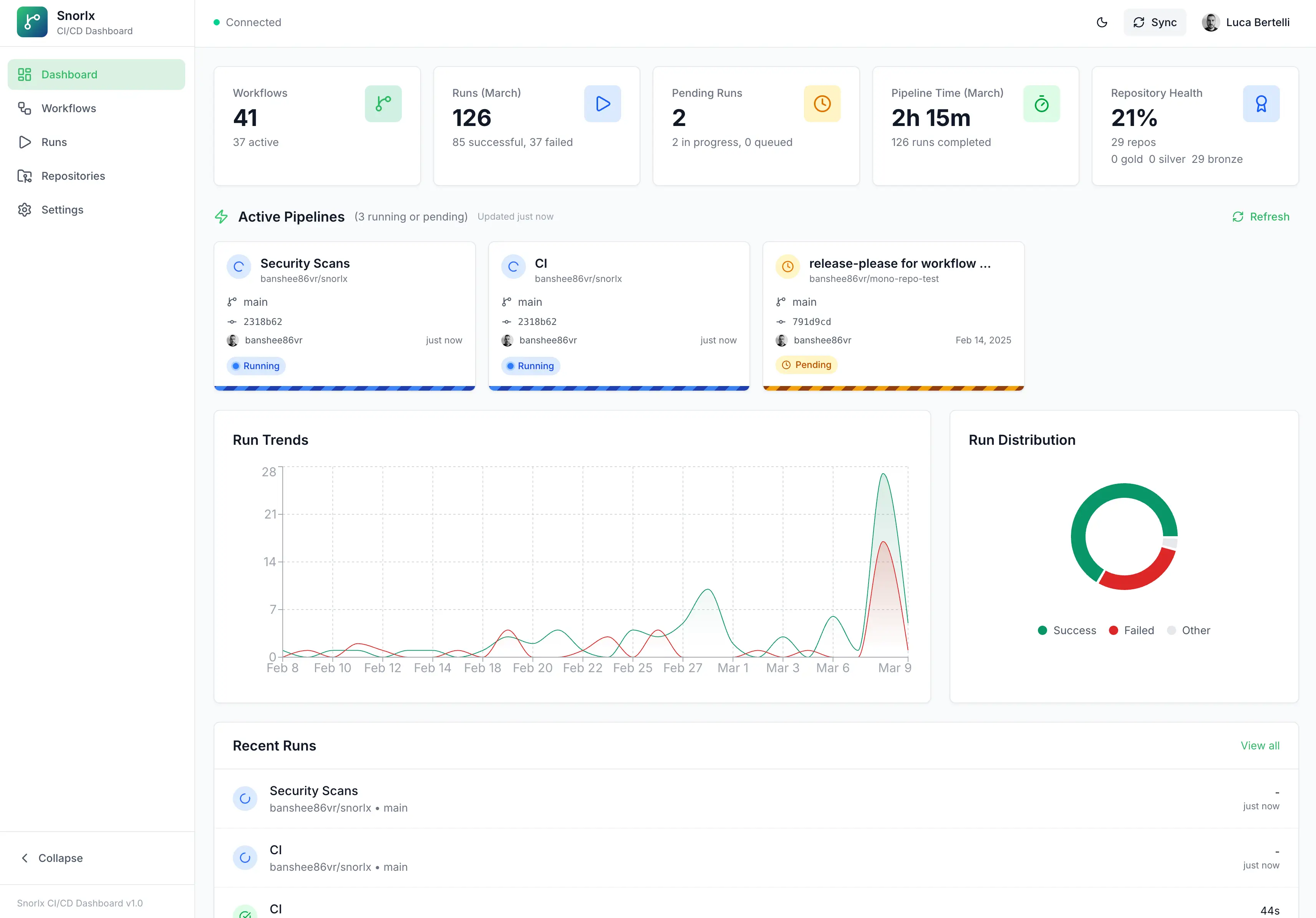 Main dashboard: summary cards, success/failure trends, and running pipelines.
What does the dashboard give you?
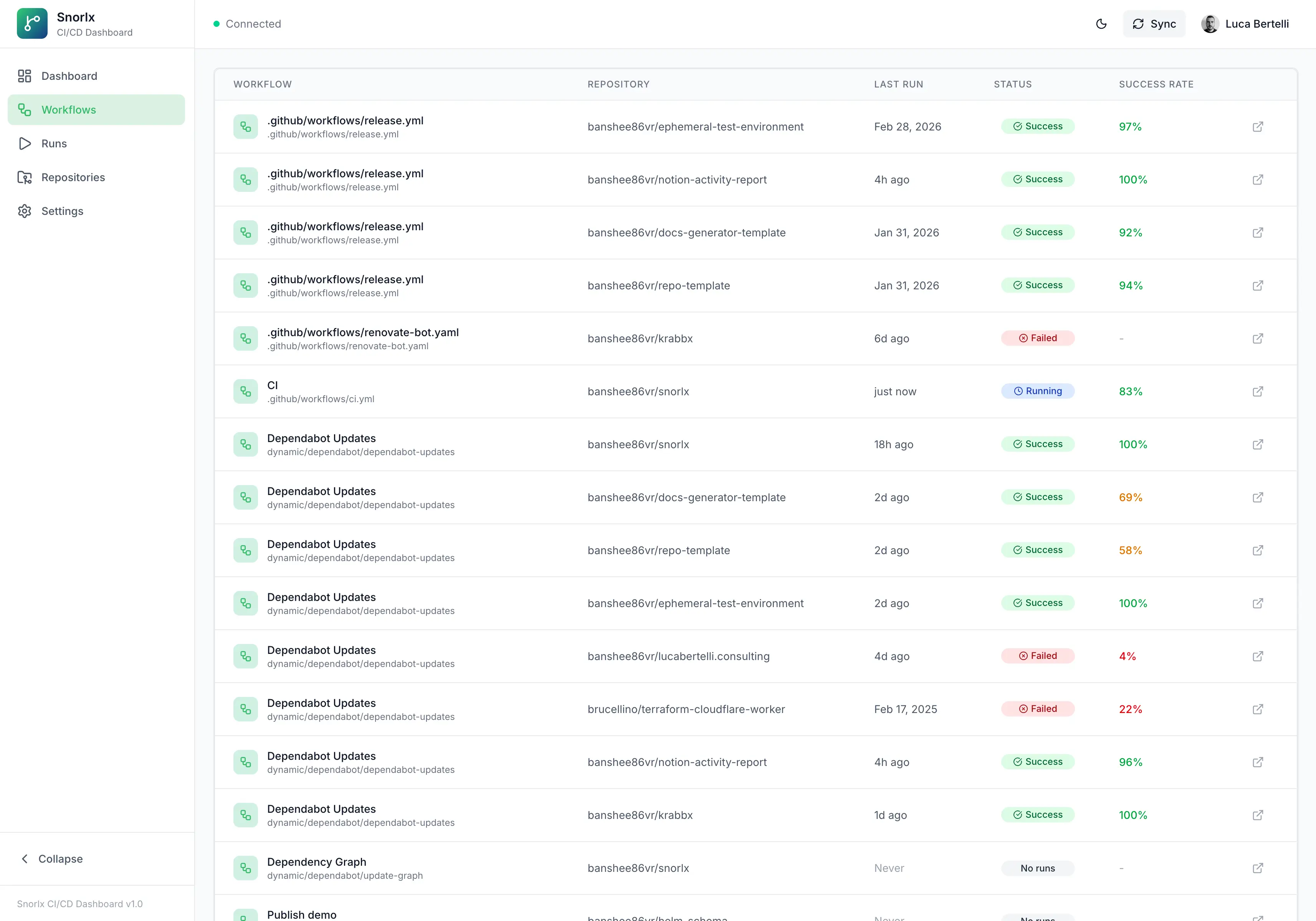
The Dashboard page shows cards for repositories, workflows, and run stats (success rate, in-progress count, comparison to previous period), charts for the last 30 days, outcome distribution, a live section with running and queued pipelines, and the average repository score and how many repos have been graded.
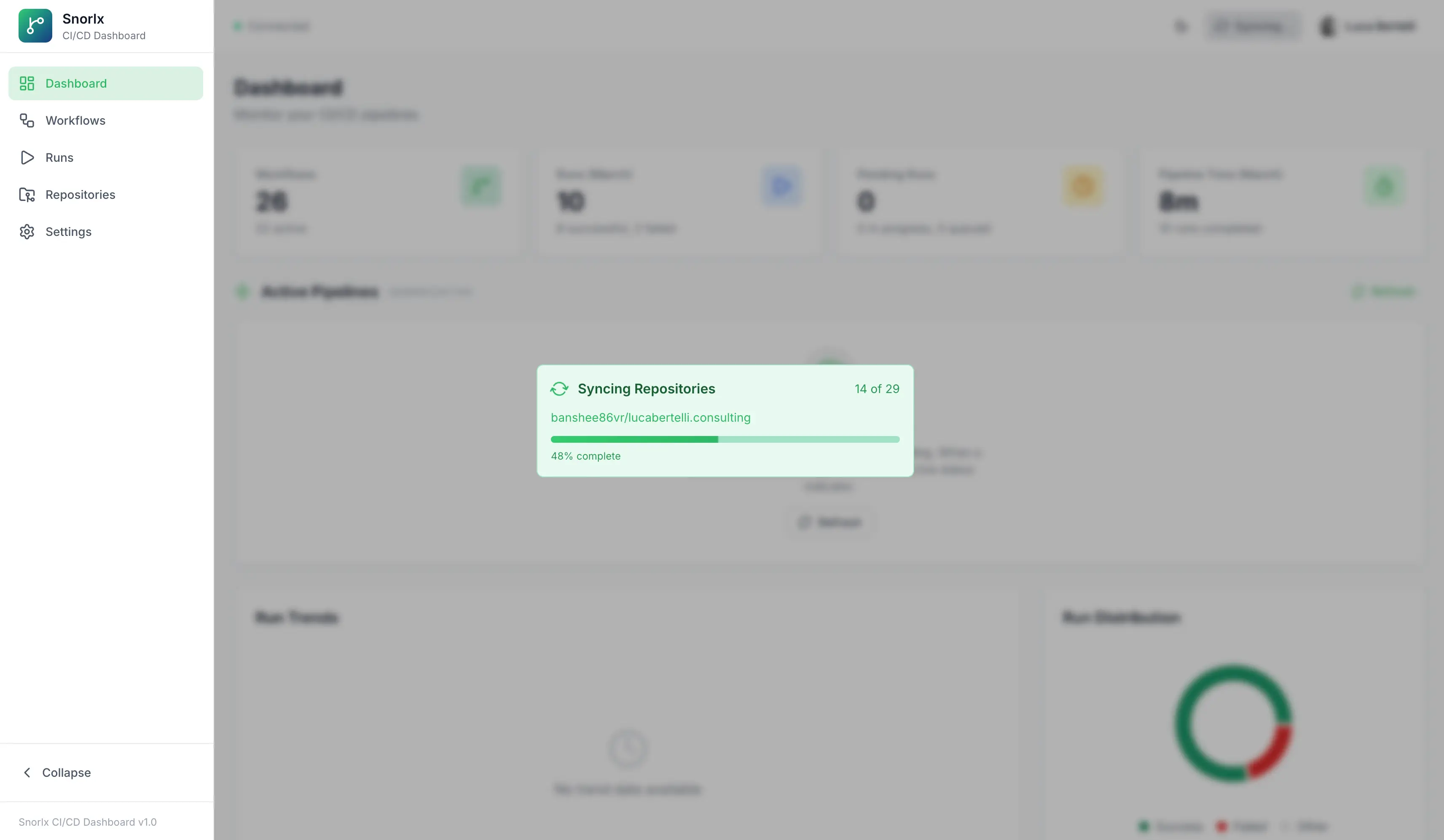
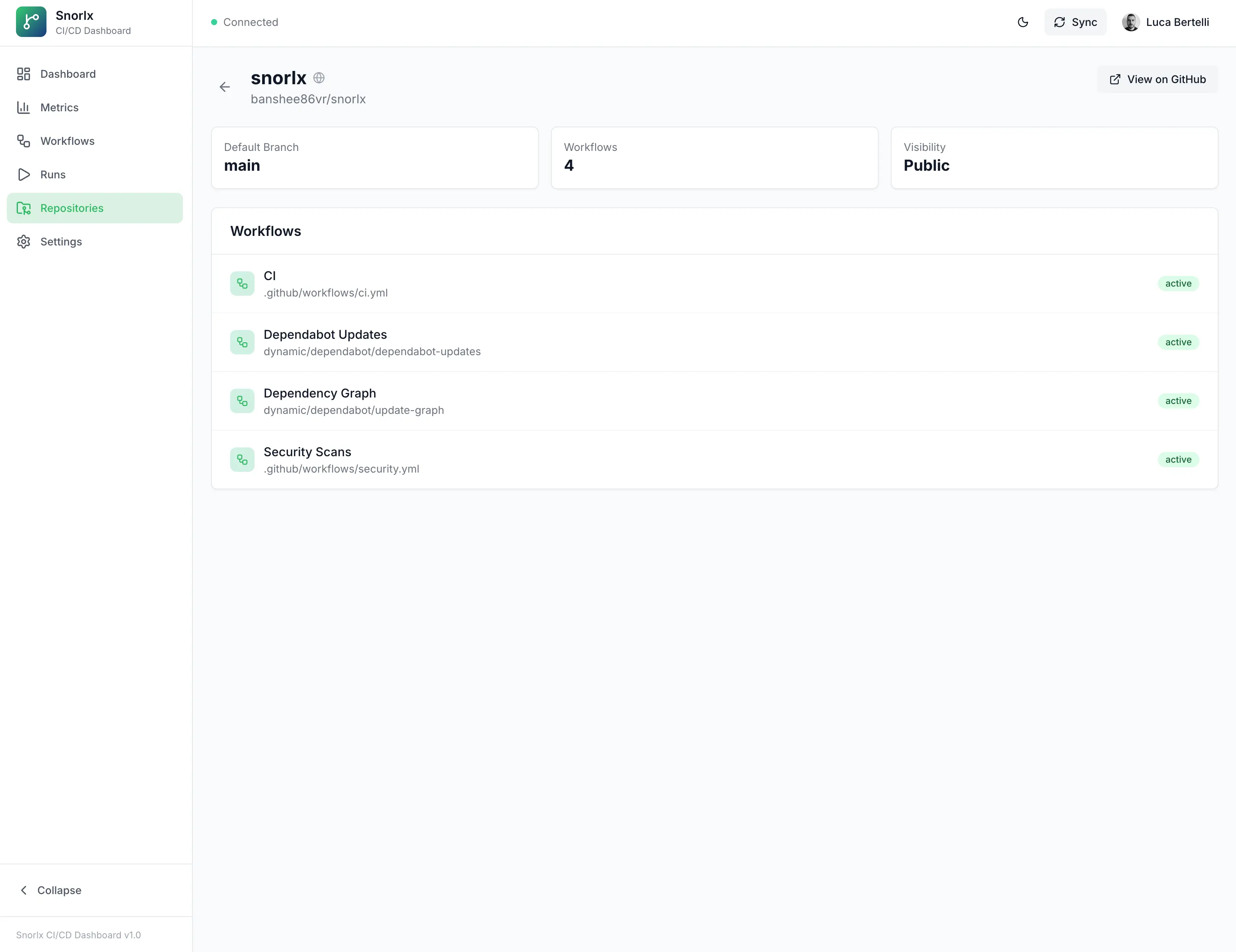
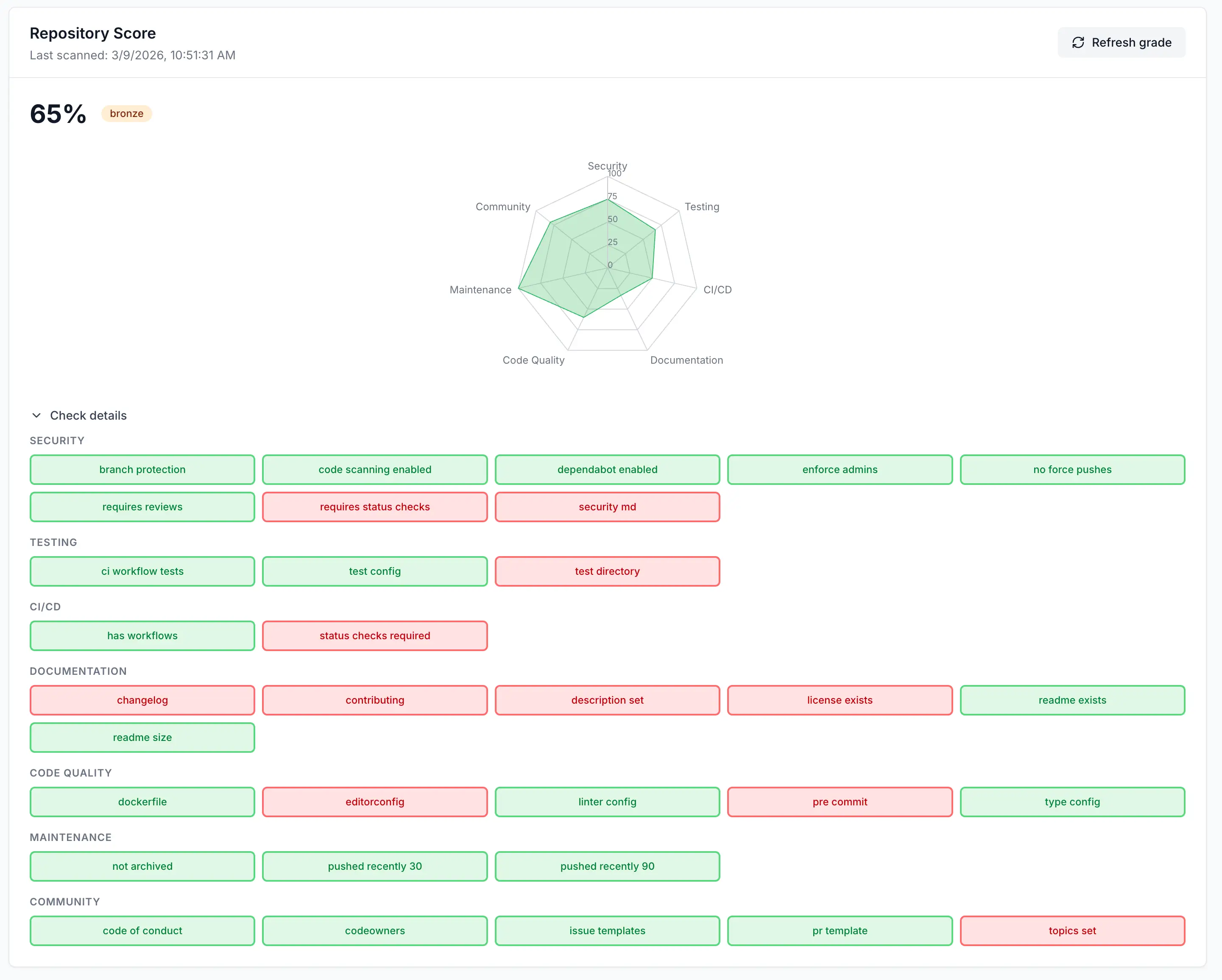
The Repositories page lists synced repositories; for each you can see the repository score (when computed): an overall percentage and a tier (gold, silver, bronze) based on seven categories: Security, Testing, CI/CD, Documentation, Code Quality, Maintenance and Community derived from GitHub data (branch protection, Dependabot, code scanning, README, config files, community profile, etc.). The score is computed during sync or on demand via “Refresh grade” from the repository detail page; in the detail view you get a radar chart for the seven dimensions and the list of checks (pass/fail).
The Runs page is a filterable, paginated list of all workflow runs; Run Detail shows the full job hierarchy, step status, timelines, error annotations, workflow YAML viewer, and links to logs on GitHub. Data can be force-refreshed from GitHub with ?refresh=true. Re-run and cancel actions call the GitHub API with proper error handling.
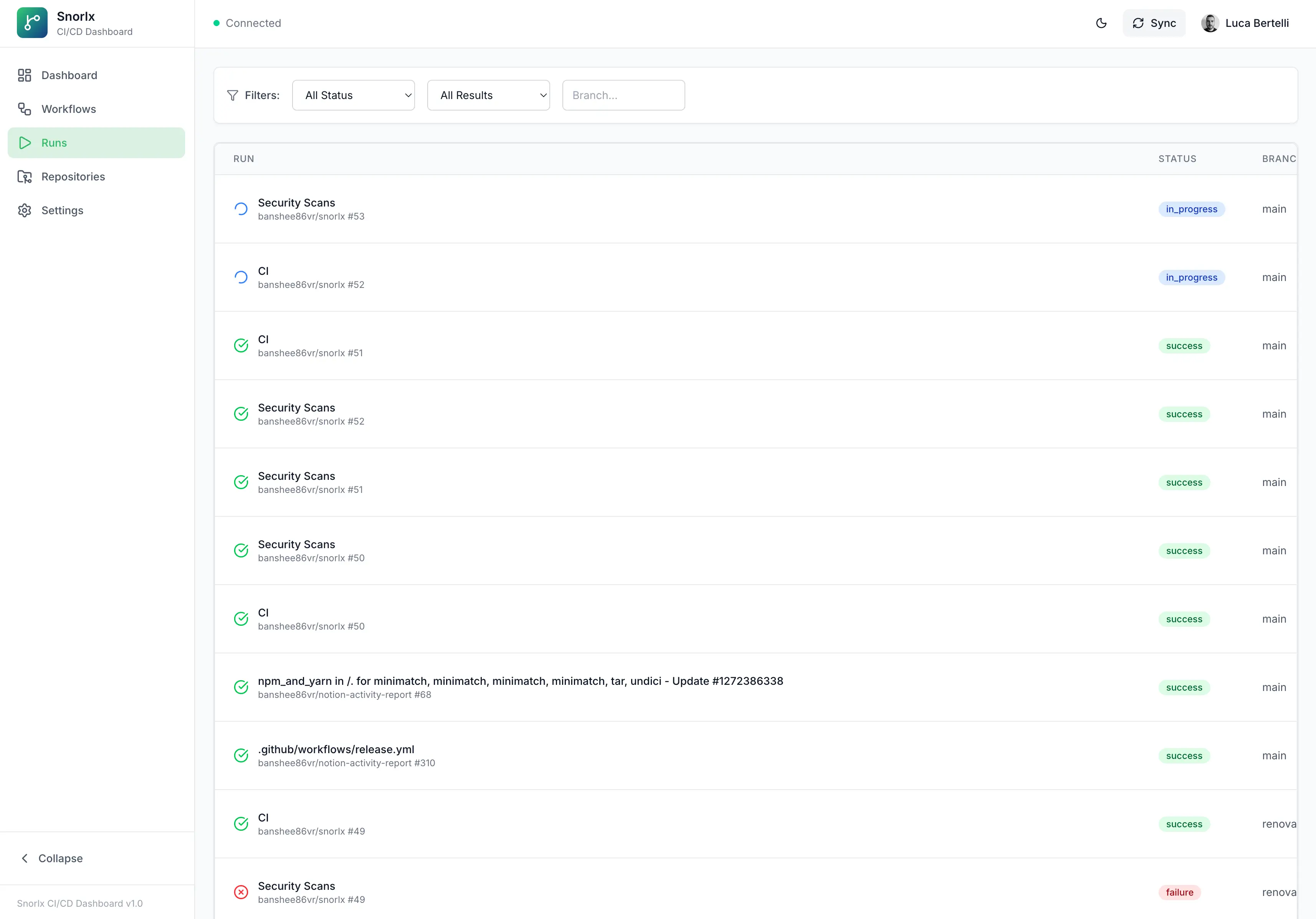 Run list with filters and pagination; from here you drill into each run.
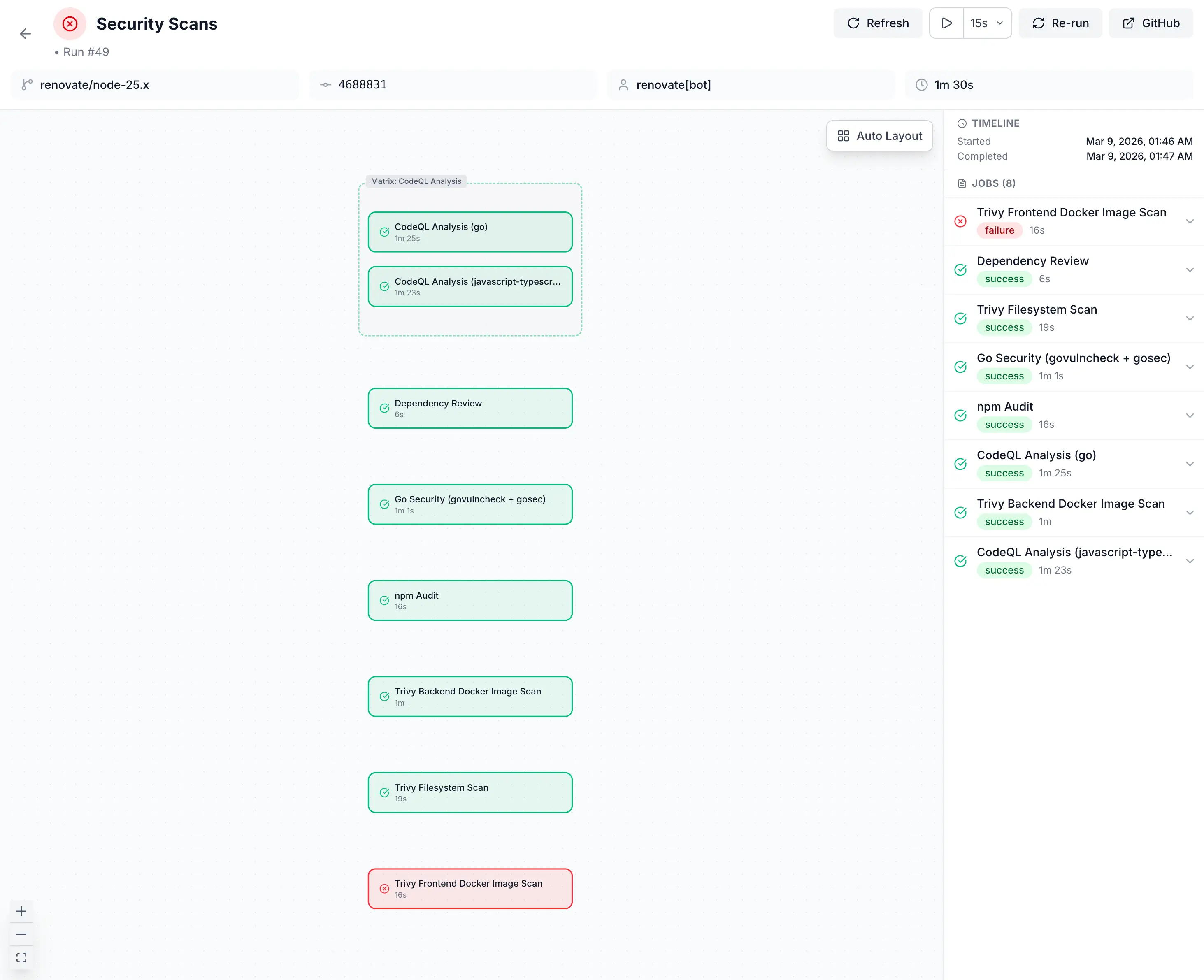
Cost tracking per workflow and per repository lets you spot the most expensive pipelines and model the impact of future pricing changes. Use STORAGE_MODE=memory to try everything with no database; switch to STORAGE_MODE=database and PostgreSQL with TimescaleDB for production.
Requirements
- Go 1.21+
- Node.js 20+
- pnpm (recommended) or npm
- A GitHub OAuth App (create one here)
- PostgreSQL 14+ with TimescaleDB (only for database mode)
Preparation steps
1. Clone the repository and install dependencies
git clone https://github.com/banshee86vr/snorlx.git
cd snorlx
pnpm install
2. Create a GitHub OAuth App
Go to GitHub Developer Settings, click OAuth Apps → New OAuth App, and fill in:
- Application name:
Snorlx Dashboard - Homepage URL:
http://localhost:5173 - Authorization callback URL:
http://localhost:8080/api/auth/callback
Copy the Client ID and generate a Client Secret.
3. Configure the environment
cp env.example .envEdit .env with your credentials:
# Development mode
DEV_MODE=true

# Storage Mode: memory for quick start, database for persistence
STORAGE_MODE=memory

# GitHub OAuth
GITHUB_CLIENT_ID=your_oauth_client_id
GITHUB_CLIENT_SECRET=your_oauth_client_secret

# Session Security (generate with: openssl rand -base64 32)
SESSION_SECRET=your_random_32_character_secret_string

# URLs
PORT=8080
FRONTEND_URL=http://localhost:5173
4. Start the application
# From project root: starts both frontend and backend concurrently
pnpm run dev
The application will start on two ports: the frontend at http://localhost:5173 and the backend API at http://localhost:8080. Log in with GitHub, and the dashboard will begin syncing your repositories, workflows, and runs.
5. (Optional) Enable database mode for persistent storage
If you want data to survive restarts, spin up a TimescaleDB instance:
docker run --name snorlx-postgres \
  -e POSTGRES_DB=snorlx \
  -e POSTGRES_USER=postgres \
  -e POSTGRES_PASSWORD=postgres \
  -p 5432:5432 -d timescale/timescaledb:latest-pg16
Then update your .env:
STORAGE_MODE=database
DATABASE_URL=postgresql://postgres:postgres@localhost:5432/snorlx?sslmode=disable
Restart the application: migrations run automatically on startup.
6. (Optional) Enable real-time webhooks
For instant updates without polling, configure a webhook in your GitHub repository or organization settings:
- Payload URL:
https://your-domain.com/api/webhooks/github - Content type:
application/json - Secret: Generate a secure secret and add it to
.envasGITHUB_WEBHOOK_SECRET - Events: Select
Workflow runs,Workflow jobs,Deployments
Architecture (in short)
Frontend: React 18 + TypeScript with TanStack Query and Recharts. Backend: Go (Chi router) with GitHub OAuth, webhooks, and WebSocket for real-time updates. PostgreSQL with TimescaleDB for time-series, hypertables, and continuous aggregates. Two modes: STORAGE_MODE=memory for development or quick start, STORAGE_MODE=database for production.
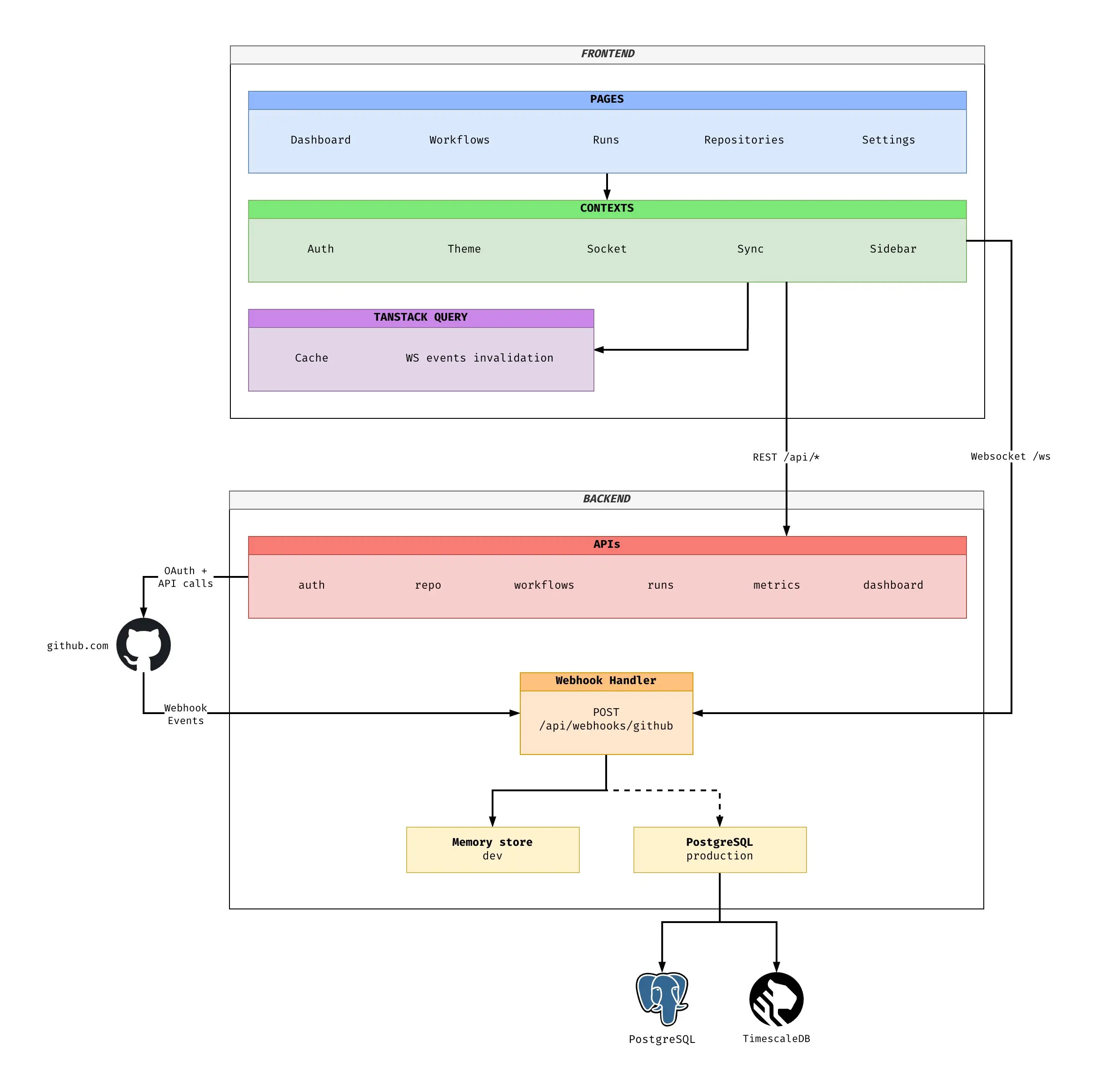 Three-tier architecture: frontend, backend, database.
Deploying to Kubernetes
Snorlx ships with a Helm chart under helm/snorlx/ that provisions separate backend and frontend deployments, an optional TimescaleDB StatefulSet, secrets, Ingress, and non-root security contexts.
helm install snorlx ./helm/snorlx \
  --set github.clientId=your_id \
  --set github.clientSecret=your_secret \
  --set session.secret=your_session_secret
Bottom line
With pnpm run dev you get a dashboard that aggregates runs from all your repos, tracks costs, scores each repository (gold/silver/bronze), and updates in real time: self-hosted, open-source, under your control. Start in memory mode to try it in minutes, then switch to PostgreSQL when you need persistence. For anyone running GitHub Actions across many repositories, Snorlx is the central view GitHub doesn’t provide.
Tags /